
By Brandon Aubey
In short: Most owners leave the services and posts on their Google Business Profile half empty. Here is how to fill them in with the words customers use.
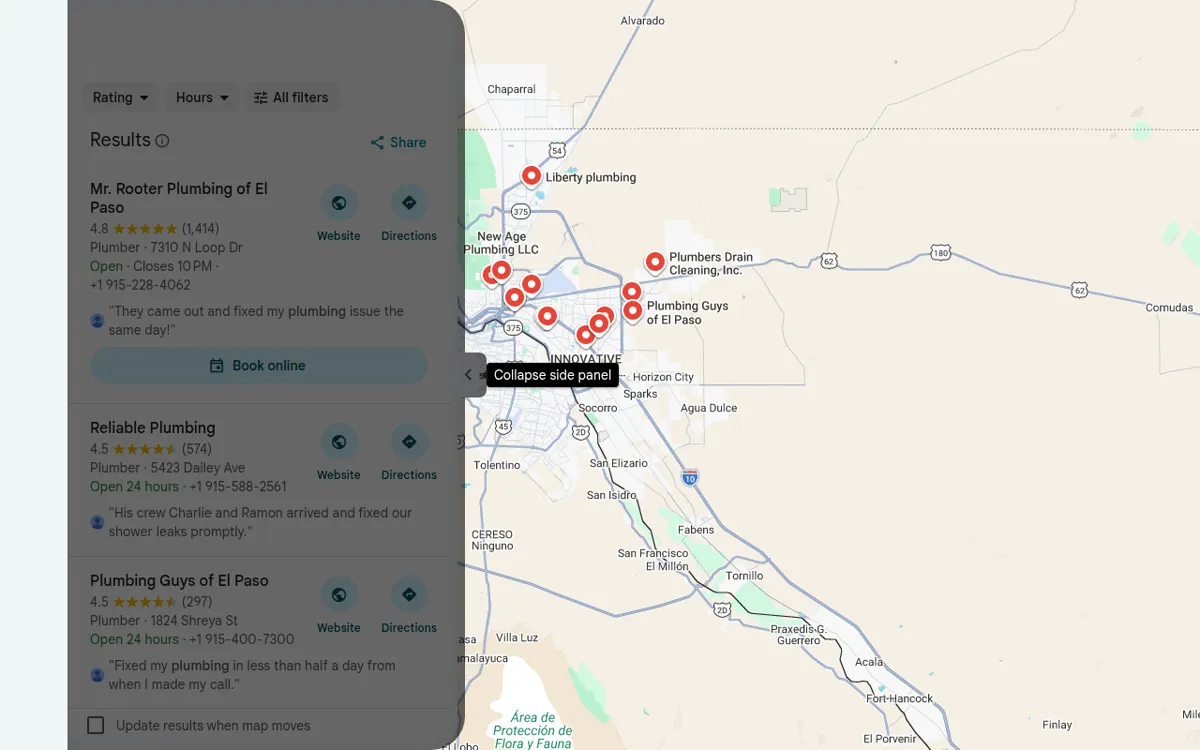
Your Google Business Profile is the free listing that shows up on Google Maps. Most owners set it up once and never touch it again. The services section stays half empty. The posts tab has nothing in it. That is a problem, because Google reads those sections to decide who to show.
Here is how we fill them out for our clients. None of it costs money. All of it takes under an hour.
Start with the services section
Services are the list of things you do. Google uses them to match you to searches. If “water heater repair” isn’t on your list, you are harder to find for it.
- Open your Google Business Profile.
- Click the edit services button.
- Read the whole list. Add every service you forgot.
- Copy the full list.
- Open an AI assistant like Claude or ChatGPT. Paste the list in.
- Ask it to interview you about your business based on those services.
- Go back to your profile and copy your Google reviews.
- Paste the reviews in too. Ask it to pull the exact words your customers use.
- Ask it to write one description per service. Keep each under 300 characters. Each one names the service and El Paso.
- Click into each service and paste its description.
The interview step matters. The AI asks what you do and who you do it for. It asks what makes the job different. Your answers give it something real to write from.
The reviews step matters more. Customers don’t say HVAC system diagnostics. They say fixed my AC the same day. Those are the words people type into Google. Your descriptions should sound like that.
Find the exact words people type
There is a button most owners never click. It shows you what people searched before they found you.
- Open your Google Business Profile.
- Click the performance button.
- Scroll down to searches.
- Click see more.
Now you are looking at the real search terms. Not guesses. The words an El Paso homeowner typed before they found your plumbing company.
Here is what to do with them.
- Any term that is bringing people in should be a service. Add it to your services section with a short description and your city.
- Take the top few terms. Build a page on your website around each one. One page per term. Now you show up for it in two places.
- You can also use them for posts. Open Gemini and connect your Google Business Profile. Ask it to write posts using those exact terms. You can post straight from there.
This takes the guessing out of it. You are writing about what people already search.
Post from real jobs
Posts show up on your profile like a small feed. Most owners skip them. The ones who post can see more people click, call, and ask for directions.
A good post is simple.
- One photo from a real job. Not a stock photo.
- A short description of what you did.
- One city or area you want to show up in. Just one per post.
If you have a case study, use it. A before and after on a roof in the Upper Valley is a strong post. It beats a stock photo and a slogan.
There is also a reason to do this beyond your profile. Google now has an AI Mode that answers local questions. Posts like these can get cited in those answers. A real job in a real neighborhood gives it something to quote.
Use the offer post type
When you click add post, most people pick update. Try offer instead.
An offer post lets you add a title, a coupon code, and an end date. It gets a tag on Google and Maps that regular posts don’t get. It stands out in the list. And Google’s AI pulls offers into what it says about your business.
You don’t need a big discount. A free second opinion or a small service credit works fine.
Set up your profile for AI answers
People don’t only search “plumber near me” anymore. They ask questions. Who is open late. Who does emergency work. Who services my brand of AC.
Google’s AI Mode and Ask Maps answer those questions straight from your profile. So the profile has to hold the answers.
- Add every service you offer. Give each a short description with your location.
- Fill out your attributes. These are the yes or no boxes, like 24-hour service or free estimates. They are how Google knows you are open late.
- Get reviews that mention specifics. A review that says they replaced my water heater on a Sunday does more. It beats one that just says great service.
- Keep posting on a steady schedule.
That is what Ask Maps reads to decide who to recommend. If it isn’t on your profile, you don’t get picked.
That’s really it
None of this is hard. It is just work nobody does. Fill out the services. Check the searches button once a month. Post from real jobs. Let the profile answer the questions people ask.
If you want us to handle it, that is part of our Local SEO services. Or book a strategy call and we will look at your profile together.
We can do this for you
You can do everything above yourself. Most owners do not have the hours. Dead River Management builds and runs it for home service businesses. We work in El Paso and across the country. You keep running jobs. We handle the Google Business Profile and local search work. You judge us on booked jobs, not reports. See Local SEO services, read about the Demand Flow guarantee, or book a strategy call.
Questions
How long should a service description be?
Keep each one under 300 characters. Name the service and your city. Use the words your customers already use in reviews.
How often should I post on my Google Business Profile?
Post on a steady schedule. One real job photo a week beats five posts in one day and then nothing for a month.
Do Google posts really show up in AI answers?
They can. Google's AI Mode and Ask Maps pull from your profile. Posts with a real photo, a short story, and one city give it something to quote.
Based in El Paso. We serve El Paso, Horizon City, Socorro, and Las Cruces, and businesses nationwide.